Summary
Use the Zaya portal to submit patients eligibility checks and benefits review. This confirms coverage before claims are submitted.
Process
Login to the Zaya Portal
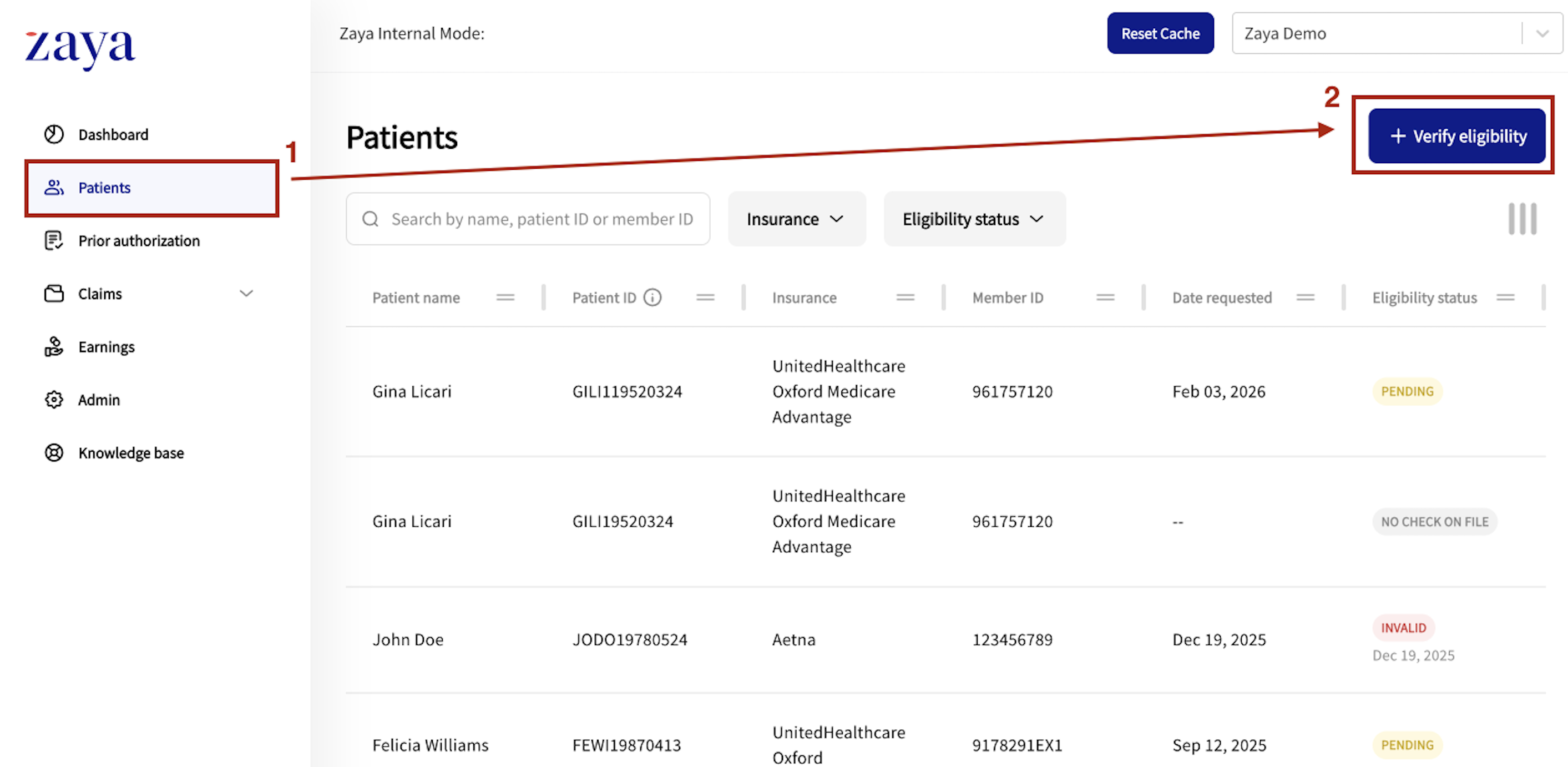
Navigate to 'Patients'
Select '+ Verify eligibility'
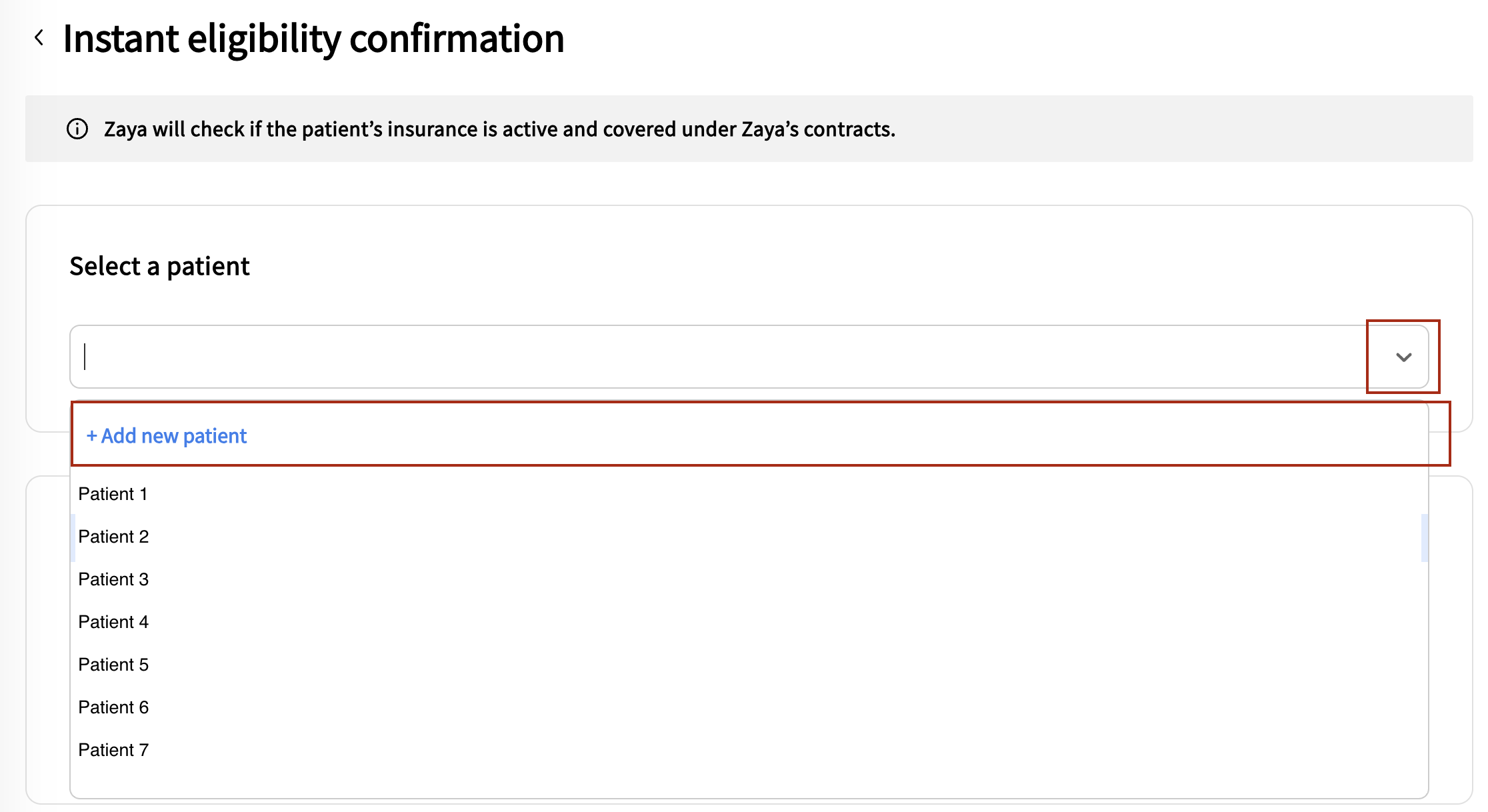
Click the down arrow in the 'Select a patient' box
Click '+ Add new patient'
Input the following information accurately - note - this must all be correct to pull a valid eligibility check
First Name
Last Name
Date of Birth
Insurance Carrier
Member ID
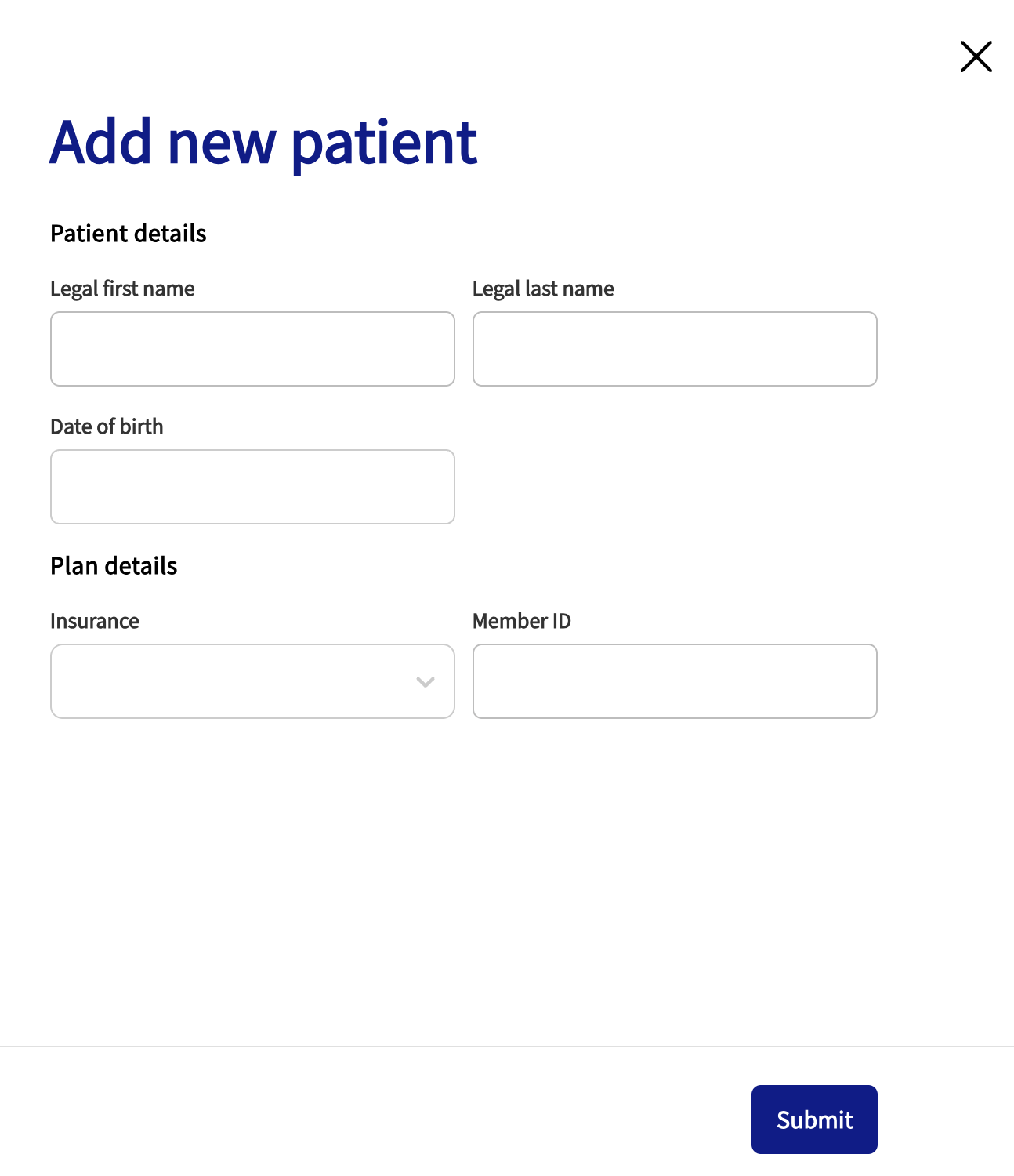
Click 'Submit'
Next, select whether you would like to add a benefit verification for this patient
(note that selecting 'Yes' here can add up to 48 hours to the processing time)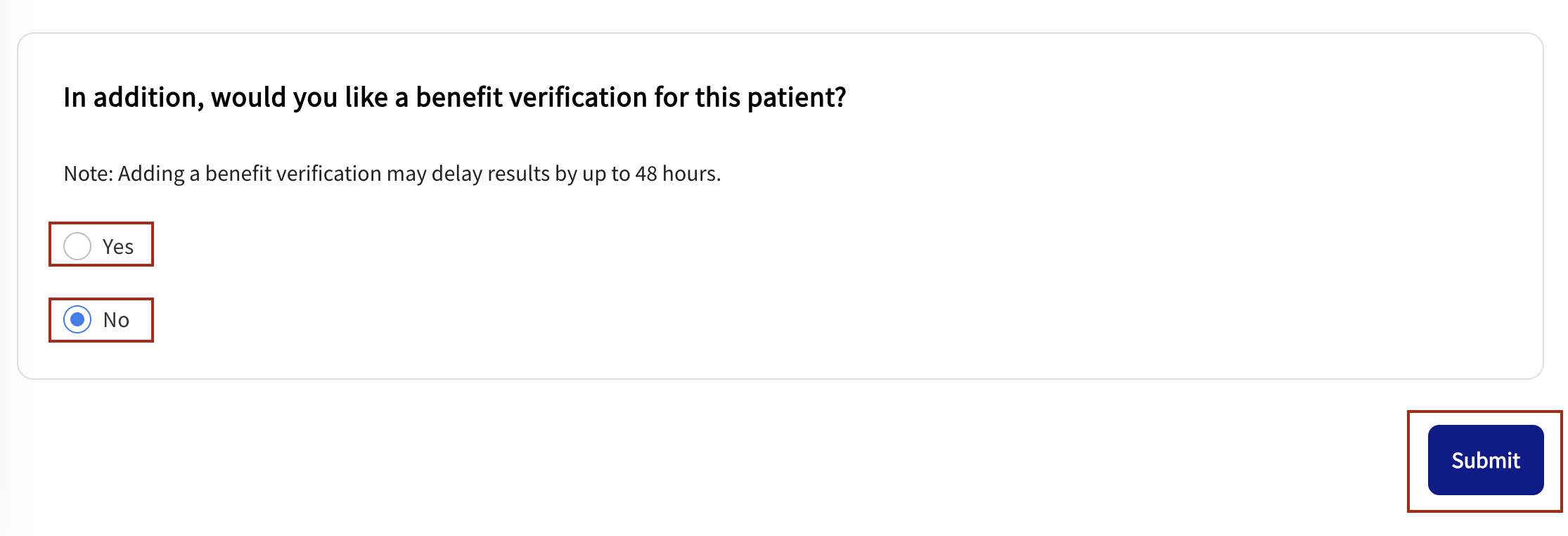
Click 'Submit'
If the information was added correctly, and you did not request a full benefit verification, an instant status will appear as detailed below
Eligibility check results
Zaya Billable - This patient is eligible to be billed through Zaya
Non-Zaya Billable - This patient is NOT eligible to billed through Zaya (reason is detailed in the patient profile)
Invalid - The data entered may be incorrect
Pending - Manual review is needed
No Check on File - No eligibility check has been completed for this patient
Was this article helpful?
That’s Great!
Thank you for your feedback
Sorry! We couldn't be helpful
Thank you for your feedback
Feedback sent
We appreciate your effort and will try to fix the article